
You need a list of every installed extension before you can stop a malicious one or rein in shadow IT. Most companies do not have a reliable one, and no single button produces it. You build it from tools you already own: your MDM, a script pushed to every machine, and the browsers' own admin consoles. Here are the three routes that scale.
Option 1: ask your MDM
Start with the tool that already reaches your managed fleet. Intune, Jamf, Kandji and Workspace ONE report on installed software, and some of them list browser extensions directly. Where they do not, you push a small script (a Jamf extension attribute, an Intune remediation) that reads the extensions and reports back.
Most MDMs report installed apps, not browser extensions. On their own they give you almost nothing here, so the next two options do most of the work.
Option 2: push a script to every machine
Every installed extension leaves a folder on disk, named with its ID. Inside sits a manifest.json with the name, version and permissions. A script run through your MDM or RMM can read those folders on every machine and roll the results up into one list.
Windows · PowerShell
# List every browser extension installed on a Windows machine.
# Output (CSV): Browser,Profile,ExtensionId,Version
# Deploy via Intune, your RMM, or a login script, then collect the output centrally.

# CSV header.
"Browser,Profile,ExtensionId,Version"

# --- Chromium browsers (Chrome, Edge, Brave): one folder per extension ID ---
$browsers = @{
  Chrome = "$env:LOCALAPPDATA\Google\Chrome\User Data"
  Edge   = "$env:LOCALAPPDATA\Microsoft\Edge\User Data"
  Brave  = "$env:LOCALAPPDATA\BraveSoftware\Brave-Browser\User Data"
}

foreach ($browser in $browsers.Keys) {
  $root = $browsers[$browser]
  # Skip a browser that is not installed.
  if (-not (Test-Path $root)) { continue }

  # Each browser has one or more profiles: "Default", "Profile 1", ...
  foreach ($prof in Get-ChildItem $root -Directory |
           Where-Object { $_.Name -eq 'Default' -or $_.Name -like 'Profile *' }) {

    $extRoot = Join-Path $prof.FullName 'Extensions'
    if (-not (Test-Path $extRoot)) { continue }

    # Every folder under \Extensions is named with the 32-char extension ID.
    foreach ($ext in Get-ChildItem $extRoot -Directory) {
      # The newest version sub-folder is the one currently installed.
      # Version folders look like "1.2.3_0"; sort numerically so 10.x beats 9.x.
      $version = (Get-ChildItem $ext.FullName -Directory |
                  Sort-Object { [version]($_.Name -replace '_.*$', '') } -Descending |
                  Select-Object -First 1).Name
      "$browser,$($prof.Name),$($ext.Name),$version"
    }
  }
}

# --- Firefox: metadata lives in extensions.json, not per-ID folders ---
# Note: Firefox profiles are under %APPDATA% (Roaming), not %LOCALAPPDATA%.
$firefoxRoot = "$env:APPDATA\Mozilla\Firefox\Profiles"
if (Test-Path $firefoxRoot) {
  foreach ($prof in Get-ChildItem $firefoxRoot -Directory) {
    $manifest = Join-Path $prof.FullName 'extensions.json'
    if (-not (Test-Path $manifest)) { continue }

    $data = Get-Content $manifest -Raw | ConvertFrom-Json
    foreach ($addon in $data.addons) {
      # User-installed extensions only: skip themes, languages, and system add-ons.
      if ($addon.type -ne 'extension' -or $addon.location -ne 'app-profile') { continue }
      "Firefox,$($prof.Name),$($addon.id),$($addon.version)"
macOS and Linux · bash
#!/usr/bin/env bash
# List every browser extension installed for the current user.
# Output (CSV): browser,profile,extension_id,version
# Deploy via Jamf, your MDM/RMM, or a login agent, then collect the output centrally.

echo "browser,profile,extension_id,version"

# --- Chromium browsers (Chrome, Edge, Brave): one folder per extension ID ---
# $1 = browser label, $2 = the browser's profiles root
scan() {
  [ -d "$2" ] || return                         # skip if not installed
  # Profiles are the "Default" and "Profile N" folders.
  find "$2" -maxdepth 1 -type d \( -name Default -o -name "Profile *" \) 2>/dev/null |
  while IFS= read -r profile; do
    ext="$profile/Extensions"
    [ -d "$ext" ] || continue
    # Each folder under Extensions is named with the extension ID.
    for id_dir in "$ext"/*/; do
      [ -d "$id_dir" ] || continue
      id=$(basename "$id_dir")
      # Newest version sub-folder is the installed one.
      version=$(ls -1 "$id_dir" | sort -V | tail -n 1)
      echo "$1,$(basename "$profile"),$id,$version"
    done
  done
}

# --- Firefox: metadata lives in extensions.json, not per-ID folders ---
# Needs python3 (present on macOS with Command Line Tools, and most Linux).
# $1 = the Firefox profiles root
scan_firefox() {
  [ -d "$1" ] || return
  for profile in "$1"/*/; do
    manifest="${profile}extensions.json"
    [ -f "$manifest" ] || continue
    python3 - "$manifest" "$(basename "$profile")" <<'PY'
import json, sys
manifest, profile = sys.argv[1], sys.argv[2]
with open(manifest, encoding="utf-8") as f:
    data = json.load(f)
for a in data.get("addons", []):
    # User-installed extensions only: skip themes, languages, system add-ons.
    if a.get("type") == "extension" and a.get("location") == "app-profile":
        print("Firefox,%s,%s,%s" % (profile, a.get("id", ""), a.get("version", "")))
PY
  done
}

# macOS paths shown; on Linux use ~/.config/google-chrome, ~/.mozilla/firefox, etc.
base="$HOME/Library/Application Support"
scan Chrome "$base/Google/Chrome"
scan Edge   "$base/Microsoft Edge"
scan Brave  "$base/BraveSoftware/Brave-Browser"
scan_firefox "$base/Firefox/Profiles"
The output is a CSV of extension IDs and versions. To cover more browsers, point the same routine at their profile paths.
This approach takes a lot of manual upkeep. Each OS and each browser stores extensions in its own place, so the script grows fast and breaks as soon as a path changes.
Option 3: the browsers' own admin consoles
When your browsers are enrolled in management, the vendor consoles report extensions for you, and you write no script:
- Google Admin console and Chrome Browser Cloud Management. Go to Devices, then Chrome, then Apps and extensions. The "Extensions list" report covers every managed Chrome profile, with install counts, versions and requested permissions. Chrome Browser Cloud Management is free and enrolls managed Chrome browsers to feed that report.
- Microsoft Intune and Edge management. Managed Edge reports its installed extensions through Intune's device configuration and reporting.
Each console covers its own browser only. Chrome's console says nothing about Edge, Firefox or any other browser your teams run, and whatever sits outside it stays invisible.
From IDs to actual extensions
Every route ends with the same output, a list of 32-character extension IDs. An ID tells you nothing on its own. To judge an extension, you first match its ID to the extension behind it: its name, its publisher and what it does. Part 3 starts there.
From a stale list to a live inventory
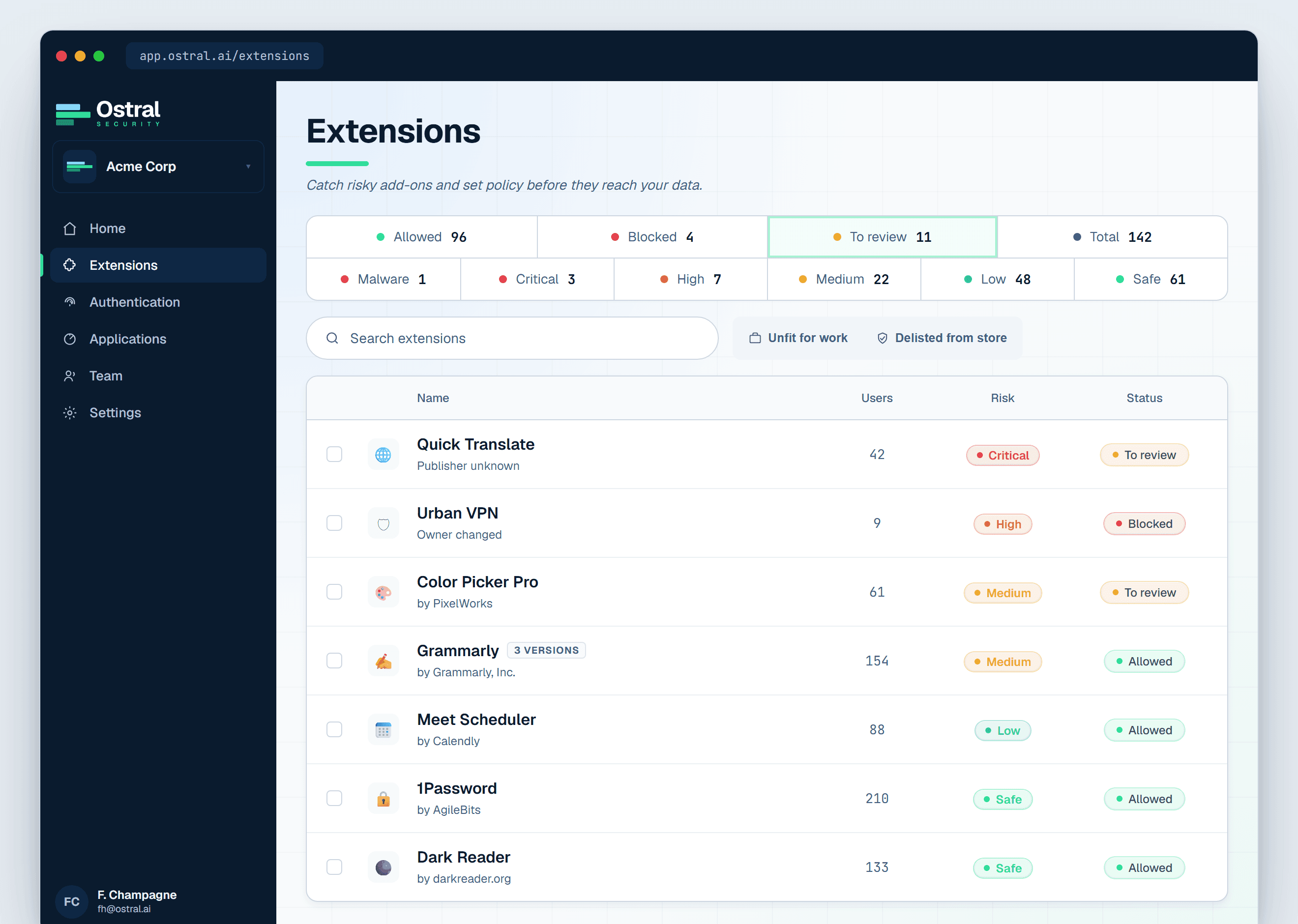
Ostral builds this inventory for you across every browser your teams use, and keeps it live. Each new install, version, permission change and ownership transfer is tracked as it happens, and every extension carries a risk score. Your audit stays current without another script run.


